
The AI video editor that works with the AI you already use
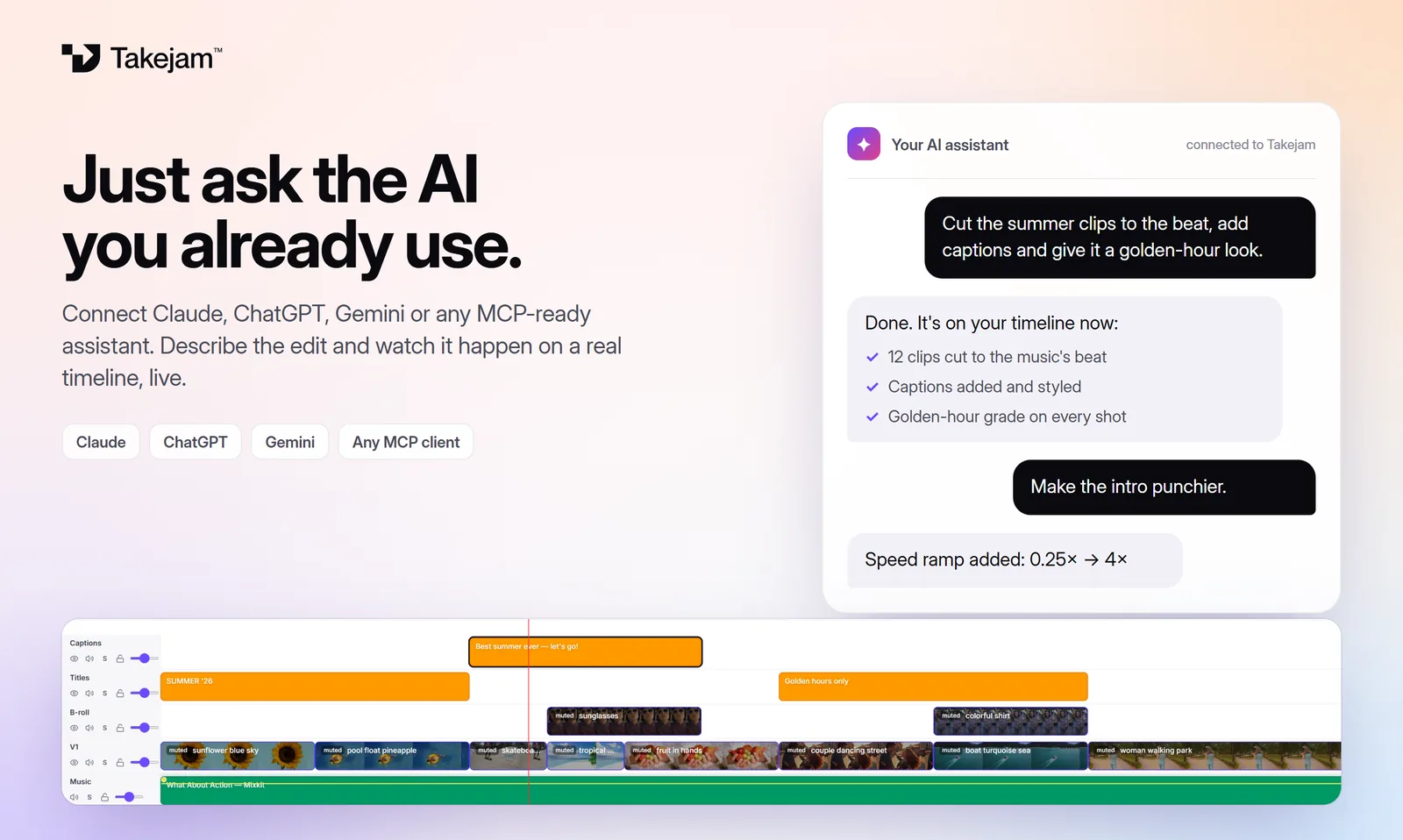
Most AI video tools lock you into their own AI and hand you a result you can't really change. Takejam works the other way round: connect Claude, ChatGPT or Gemini, describe the edit in plain words, and watch it happen on a real timeline. Then take over by hand whenever you like.
How it works
Connect your AI
Add one address in Claude, ChatGPT or Gemini and click Allow. Or paste an API key into the AI tab inside the editor.
Ask in plain words
“Cut this to 30 seconds on the beat”, “add a bold title”, “give it a warm, cinematic look”.
Watch it edit, live
Clips, titles, colour and captions appear on your timeline as the AI works. Your team sees it too.
Fine-tune or undo
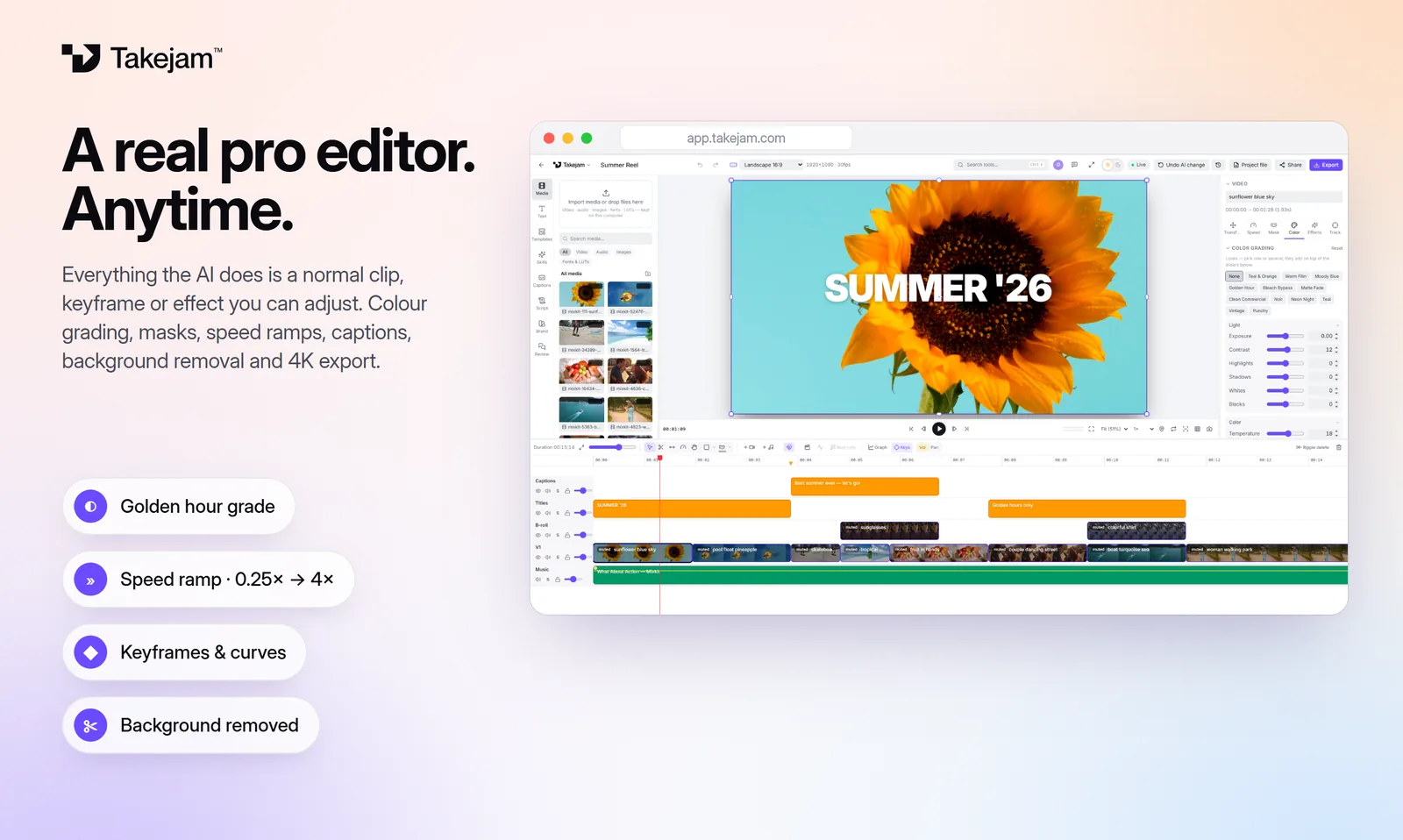
Every AI edit is a normal clip, keyframe or effect you can adjust. One click undoes the whole AI change.
What you can ask for
The AI uses the same tools you do, so anything you can do on the timeline, it can do too.
“Cut these clips to the beat of the music and keep it under 30 seconds”
“Add a big title that rises in word by word, then fades out”
“Give every shot a golden-hour look and add a soft vignette”
“Make the intro punchier with a speed ramp”
“Turn this 16:9 edit into a 9:16 version for Reels”
“Put the logo in the corner for the whole video”
“Read the review notes from my team and fix them”
“Look at the edit and tell me what to improve”
An open editor, not a black box
You choose the AI. Use the assistant you already pay for and trust: Claude, ChatGPT, Gemini or any app that supports MCP. When a better AI comes out, switch. Your projects stay the same.
Every edit stays editable. The AI doesn't render a finished file. It places real clips, text, keyframes, effects and colour grades on your timeline, so when it's 90% right you fix the last 10% yourself.
Your team works alongside. The AI shows up like a teammate, with its own name and playhead. Everyone sees what it changes, and scenes your reviewers approved are off limits to it.
The tools your AI can use
Cuts and timing
Trim, split, move, ripple-delete, change speed, speed ramps and snapping cuts to the music's beat.
Titles and captions
Text with 58 fonts, gradients, outlines and word-by-word animations, plus restyling auto-captions.
Colour
Exposure, white balance, curves, colour wheels and stackable looks like Teal & Orange or Golden Hour.
Effects and transitions
Blurs, glow, grain, vignette, chromatic aberration, fades, slides, zooms and flashes.
Animation
Keyframes for position, scale, rotation, opacity, volume and any effect setting, with easing.
Templates and layout
Ready-made templates, any aspect ratio, markers, scenes and brand colours.
How it connects (the technical bit)
Takejam connects to AI assistants through the Model Context Protocol (MCP), the open standard that Claude, ChatGPT, Gemini and many developer tools use to plug into other apps. The Takejam connector lives at https://api.takejam.com/mcp.
When you add it, your AI app opens a Takejam page where you sign in and choose which workspace it may edit. You can remove that access any time under Workspace settings → AI connector keys. The AI only reaches the projects in that workspace, never the files on your computer, your password or your billing.
Prefer not to connect an app? Open any project, click the AI tab and chat with Gemini, Claude or ChatGPT right inside the editor using your own API key. The key stays in your browser.
Questions, answered
Is Takejam an AI?
No. Takejam is the video editor, and the AI is the one you bring: Claude, ChatGPT, Gemini or another MCP app. Takejam also has built-in tools that run on your own computer, such as auto-captions, background removal, object tracking and audio clean-up.
Which AI assistants work with Takejam?
Claude (web, desktop and Claude Code), ChatGPT (with Developer mode), Gemini (custom apps, rolling out), and any app that supports remote MCP servers, such as Cursor or VS Code. Inside the editor you can also chat with Gemini, Claude or ChatGPT using an API key.
Is it free?
Yes. Free forever with 50 AI edits a day. Creator ($5/month) makes AI edits unlimited and adds 4K export. Your AI app's own plan or API usage is billed by that company.
Do I need an API key?
Not to connect the Claude, ChatGPT or Gemini app you already use: you just sign in and click Allow. You only need a key for the chat inside the Takejam editor. A Gemini key from Google AI Studio is free.
Does the AI get my video files?
No. Your media stays on your computer. The AI reads a description of the timeline (clips, times, text, effects). When it asks to check its work, it gets a few small preview frames rendered by your open editor.
Can I undo what the AI did?
Yes. Each AI edit saves a version first, so “Undo AI change” puts everything back in one click. If the edit came from the AI tab, Ctrl+Z also works.
Keep exploring
Your next edit starts in a browser tab
Edit with any AI, by hand, or with your whole team. Free to start.